Aseprite Auto Anti-Aliasing (AAAA)
A downloadable plugin for Windows, macOS, and Linux
Aseprite Auto Anti-Aliasing (AAAA) is an automatic anti-aliasing tool for pixel art in Aseprite.
It analyzes the pixels around edges and applies anti-aliasing based on the selected settings, helping reduce the amount of manual pixel-by-pixel cleanup.
Features
Automatic edge detection - detects suitable pixel-art edges automatically.
Outer / Inner / Both - choose where anti-aliasing is applied.
Adjustable strength - control the amount of smoothing.
Sparse mode - reduces unnecessary anti-aliasing.
Palette-aware - keeps generated colors consistent with your palette.
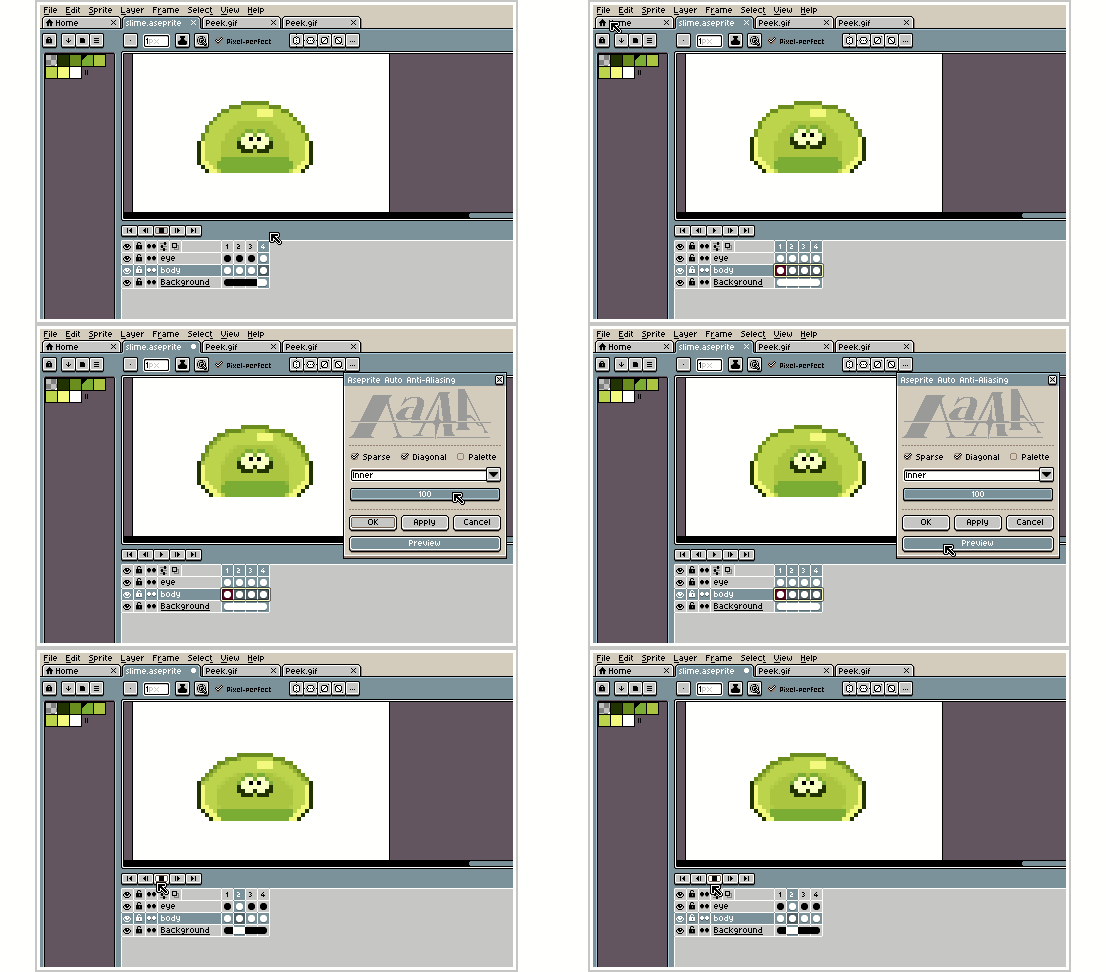
Multi-layer - process multiple selected layers together.
Multi-frame - process multiple animation frames at once.
Selected layers - process only the layers you choose.
Preview - preview the result before applying changes.
| Original | AAAA |
 |  |
| Outer | Inner |
 |  |
| Strength: 20% | Strength: 100% |
 |  |
| Palette : on | Palette : off |
 |  |
Notes
The result is not guaranteed to be 100% accurate. Automatic processing cannot always understand the artist's exact intention, so some pixels may need to be manually corrected after applying AAAA.
Processing time depends on the sprite size and settings. Large canvases can take noticeably longer to process, especially when working with multiple layers or frames.
For best results, review the generated result after applying the effect and make any small corrections that are necessary.
AAAA is intended to speed up repetitive anti-aliasing work, not completely replace manual pixel-art editing.
Download
Click download now to get access to the following files:
Leave a comment
Log in with itch.io to leave a comment.